Open a drum pack after you unzip it. If you're lucky the hits are organized into kits, but the kit names are cryptic. Of course the samples are also broken out by drum type in an Individual Hits folder, with a Kicks subfolder containing files numbered 001 through 100. Some have velocity layers. Some have keymappings. There's probably a 24Bit folder and a 16Bit folder with the same content at different sample rates. You get the idea. You drag all of it into your library folder and move on.
Now open a loop pack. Maybe the loops are grouped by tempo and key in separate directories. Maybe it's just a single folder with 200 files named "Cymatics - July 2019 - Signature Series EDM Drop Loop 5 Pt B - 128 BPM F Min.wav" and you hope the filenames give you a clue. And there are a few one-shots thrown in for good measure, sitting right next to the loops with no separation.
After a few years of collecting you've got a serious problem: what do you even have?
One axis
A folder hierarchy is a tree, and a tree sorts on one axis at a time. The pack creator picked that axis for you. Drum packs sort by instrument type: kicks, snares, hats, maybe a kit folder if the creator bothered. Loop packs sort by genre or tempo, sometimes both, sometimes neither. Every creator picks a different scheme and none of them match yours.
The axis they picked is almost never the axis you need when you're looking for something.
You're working on a track in F minor at 120. You need a bass loop that fits the groove. Your loop folders are organized by the pack creator's name, then a subfolder per tempo if you're lucky. You don't remember which packs even have bass loops. You don't know which ones are in the right key. You open folders until you get tired and reach for the same three loops you've been using for months.
What you're looking for is there. You've got a melodic loop in F minor at 120 BPM and a couple dozen bass loops that would sit well with it. They're just sitting in subfolders four levels deep labeled "Processed" or "Misc".
Every sample has five axes
Think about what you actually know about a single kick drum file:
- What it is. A kick, a snare, a hat, a clap. Instrument type.
- What it sounds like. Bright or dark, punchy or soft, clean or saturated. Tonal character.
- What genre it fits. Hip-hop, house, trap, synthwave. Sometimes multiple.
- Where it came from. Which pack, which vendor, which year.
- What it can play with. Key and tempo for loops, frequency range for one-shots.
In truth there are many more: the make and model of the drum machine, the name of the instrument, the style of the groove. Every sample carries dozens of qualities. Good luck finding them in a filename.
A folder can only represent one of these axes at a time. It can't attach multiple qualities to a single file. And the deeper problem is that there's no standard for how sample providers organize this information. Every company has done it differently for the past 30 years.
The rename trap
The obvious fix is to reorganize. Make a master Kicks folder and drag everything into it. Sort by genre. Rename the files so they contain the information you need.
People try this. I tried this. You spend a month dragging files around and renaming things, and then two problems hit you at once.
First, the next pack you buy doesn't match your scheme, so you're back to dragging and renaming or it sits in a folder called "Unsorted" forever.
Second, you've just destroyed the original context. That kick was part of a kit. It sat next to a snare and a hat that the pack creator voiced together. By pulling the kick out and filing it under genre, you lost the relationship. Now the kick is organized, and the kit is gone.
You can't win this by reorganizing. The problem is the data structure, not the data.
There's a better way
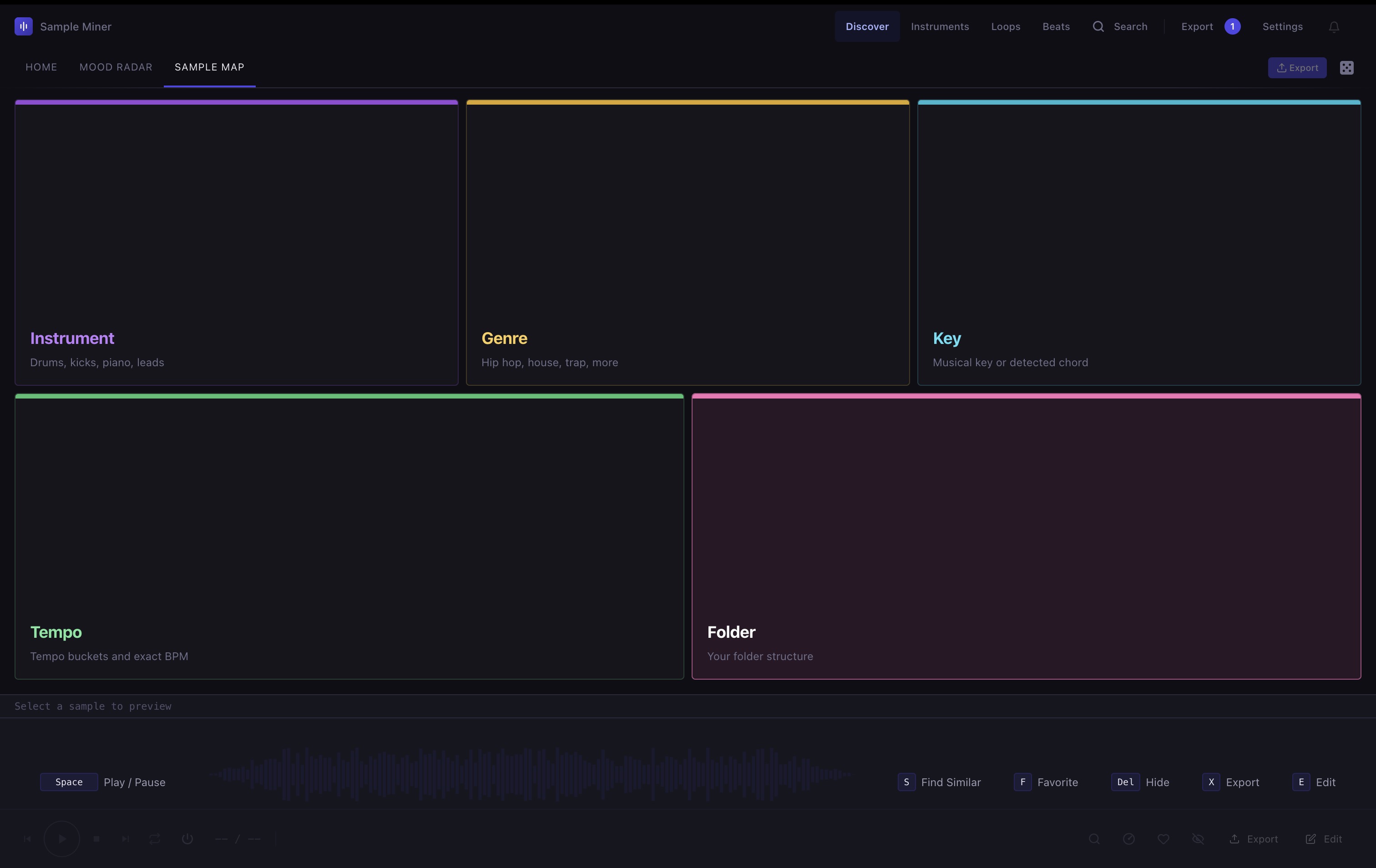
This is the same library, five ways in. Instrument, Genre, Key, Tempo, Folder. Pick any one and the map draws the whole collection through that lens. They aren't nested. They're parallel. You start wherever the question starts.
Pick Genre, click House, filter to Loops, and you get this:
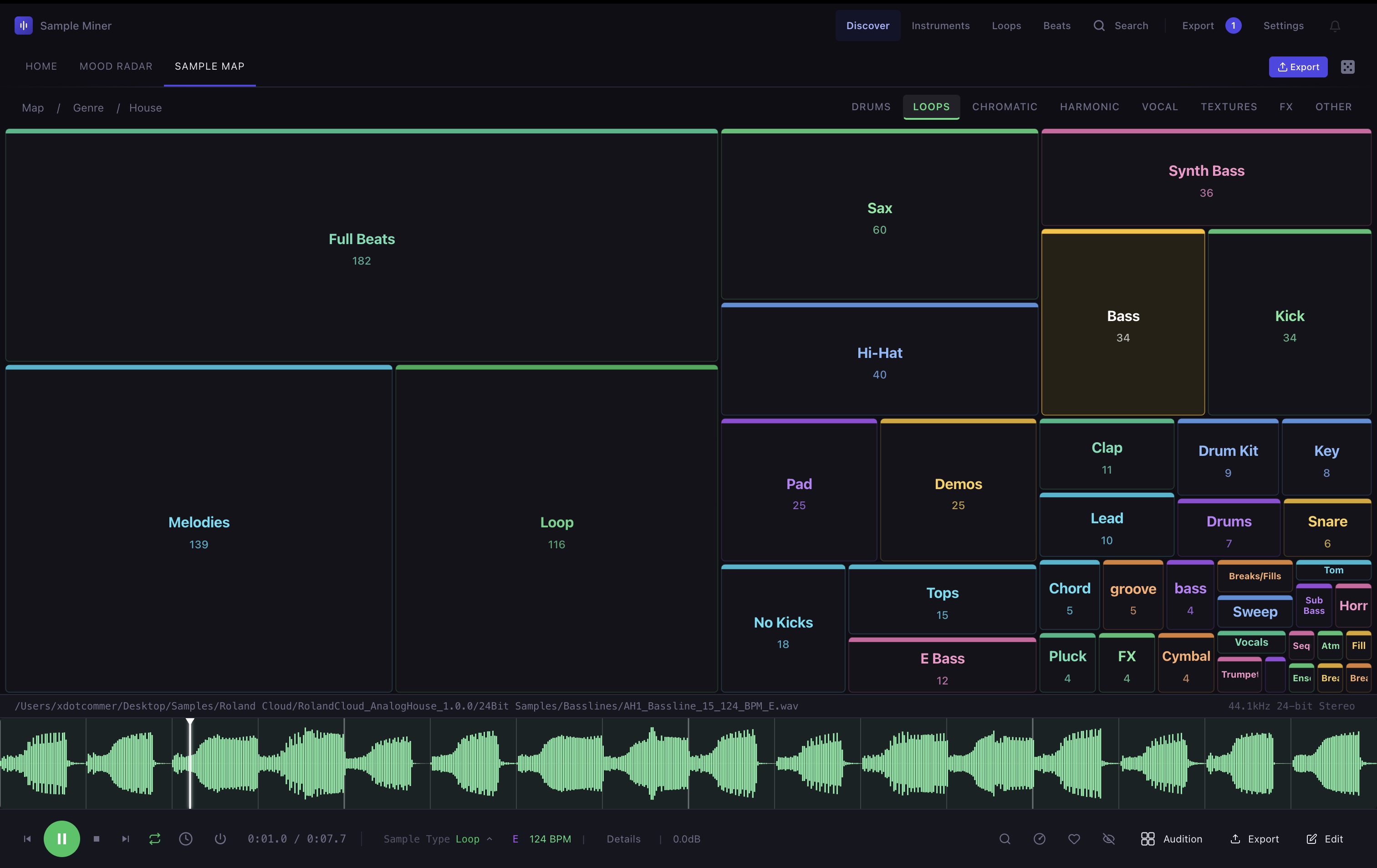
Two clicks in and I'm auditioning bass loops instantly. I have 60 house sax loops I didn't even know I owned, scattered across a dozen packs from different vendors. Without this map I would have guessed I had maybe five.
Click any block and you drill deeper. The axes aren't a hierarchy: they're facets, and any one can go first.
The library you don't know you have
The bigger your collection gets, the less you know about what's in it. This sounds backwards but it's true. At 500 samples you remember most of them. At 50,000 you're working from a handful of favorites and ignoring the rest. At 250,000 you're buying new packs while duplicates pile up and entire genres sit untouched.
I ran the numbers on my own library. Nearly half of it is drums. The melodic folders are thin by comparison, which explains why I kept buying synth packs while 67,000 chromatic samples collected dust. I also had 27,000 duplicates: the same files living in two or three places under different names, each copy the result of a different pack including the same factory content.
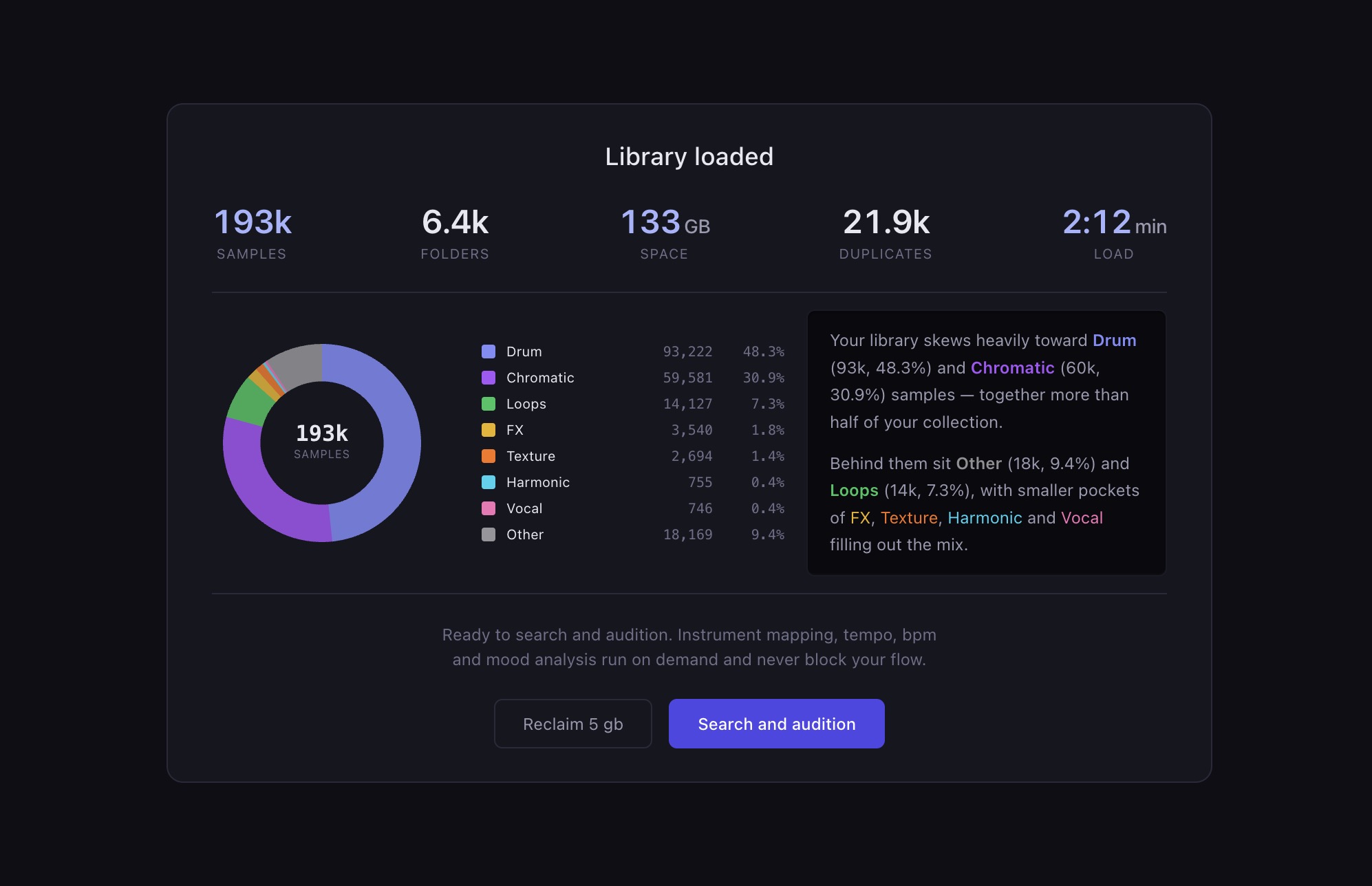
None of that was visible in a folder view. Folders showed me vendors and pack names. The actual shape of my library was invisible until something counted it.
Why this matters when you sit down to write
The creative cost of a disorganized library isn't the time spent looking for sounds. It's the sounds you never look for because you forgot you had them.
Every producer has a rotation. The same five kick drums, the same three snare folders, the same pack you bought last month because it's still on top. The rest of the library goes dark. Not because the sounds are bad, but because the folder structure hides them behind vendor names and pack titles that mean nothing six months later.
A map doesn't fix this by being faster than a file browser. It fixes it by showing you the library you didn't know you had. The 135 "Future" kicks aren't in a folder called Future. They're scattered across twenty packs, each one filed under its creator's name, and no amount of folder scanning would have surfaced the 135 samples buried in folders named "Future" or files named "futr_kick_34.wav".
The folder is the wrong data structure. It always has been. What you need is a real sample database and a user interface that lets you find, discover and audition without the hassle.
Discover hidden gems in your sample folder
Sample Miner turns the sample folders you already own into playable drum kits and instruments — entirely on your machine.